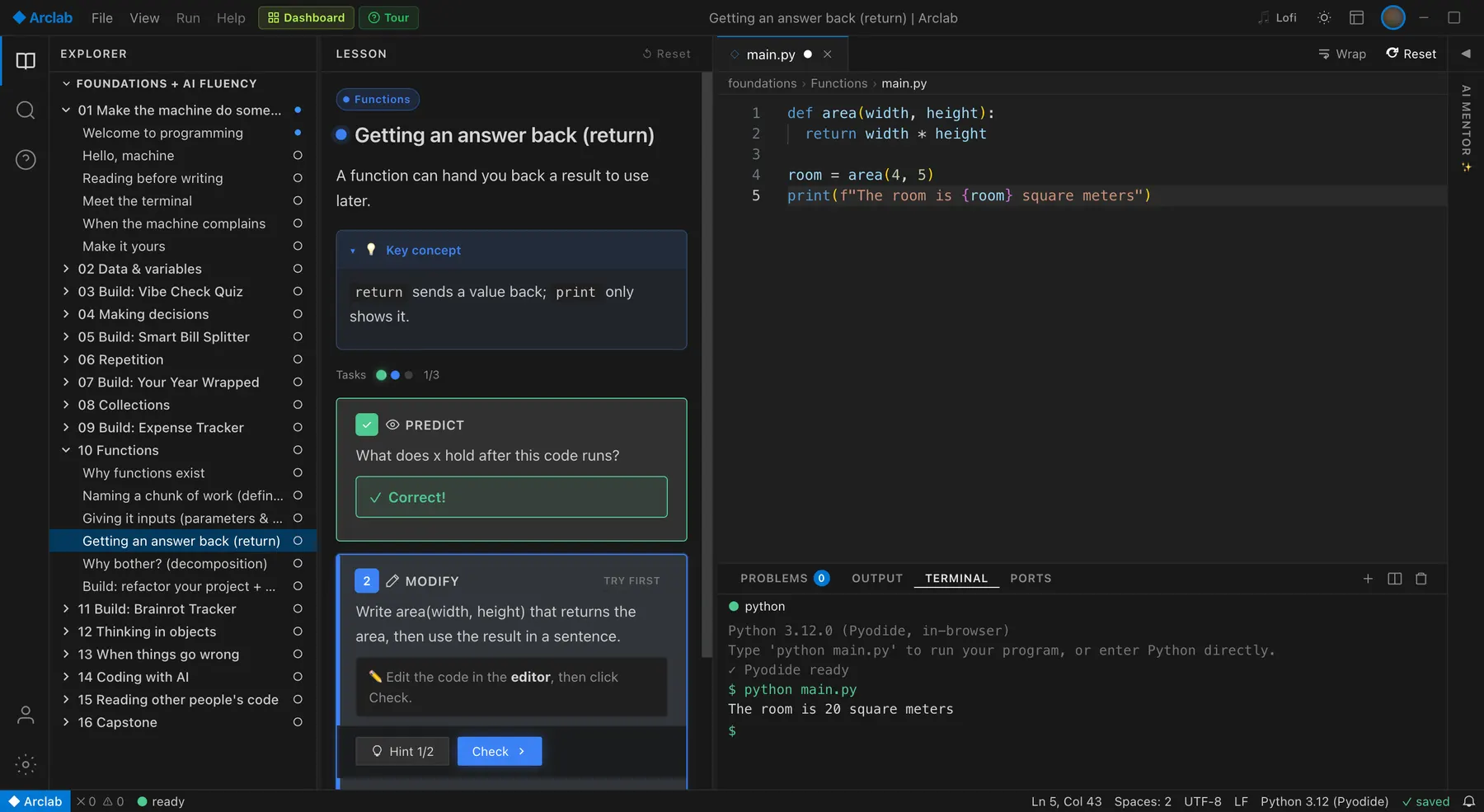
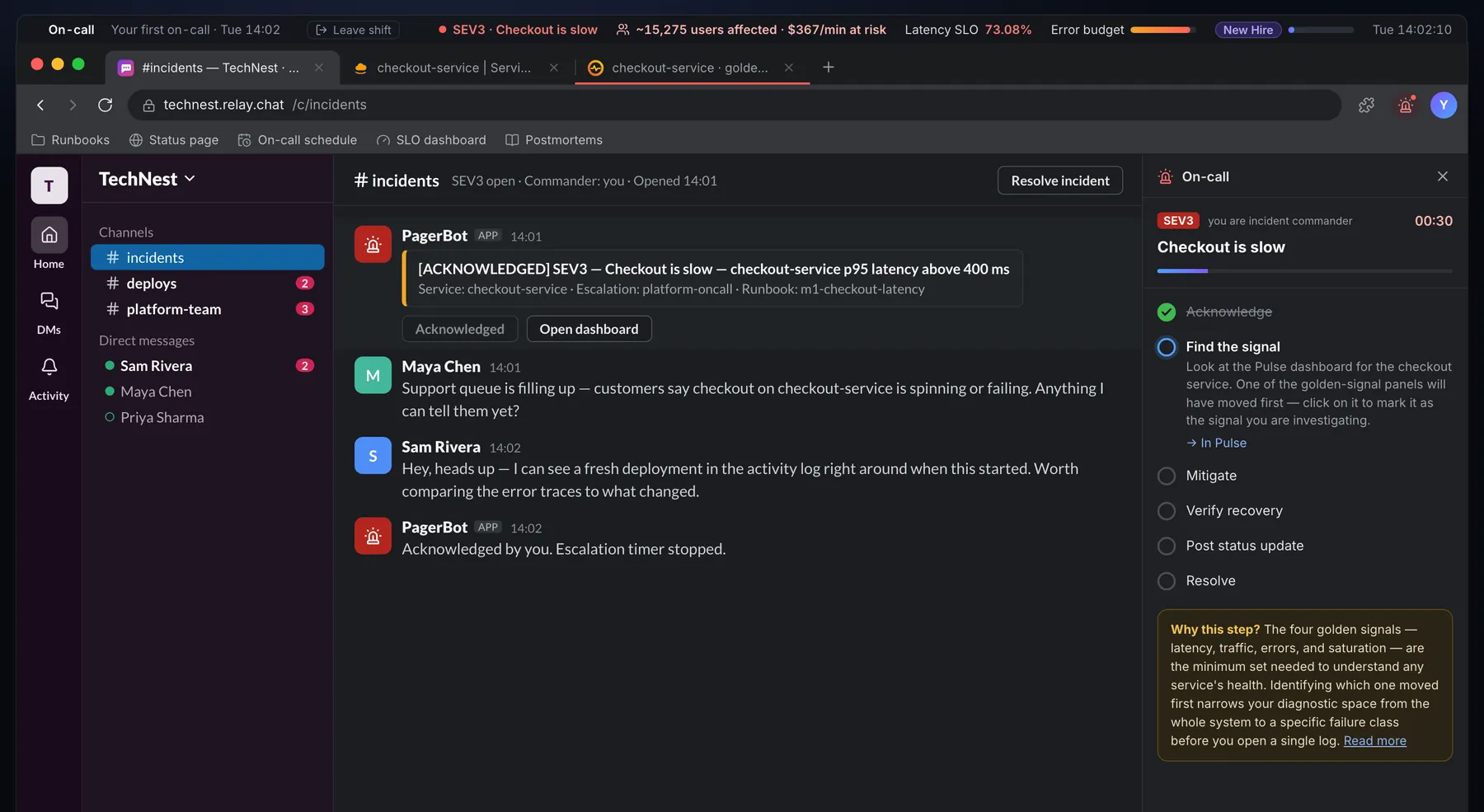
 Arclab
A Software Engineer Simulator For Your First Week On A Team.
Join a startup as its newest junior engineer and live a real week of the job: pick up tickets, fix bugs in a codebase you didn't write, get through CI and code review, and ask teammates when you're stuck. The everyday tools of engineering, all in your browser.
Four Real Tools And The App You Ship.
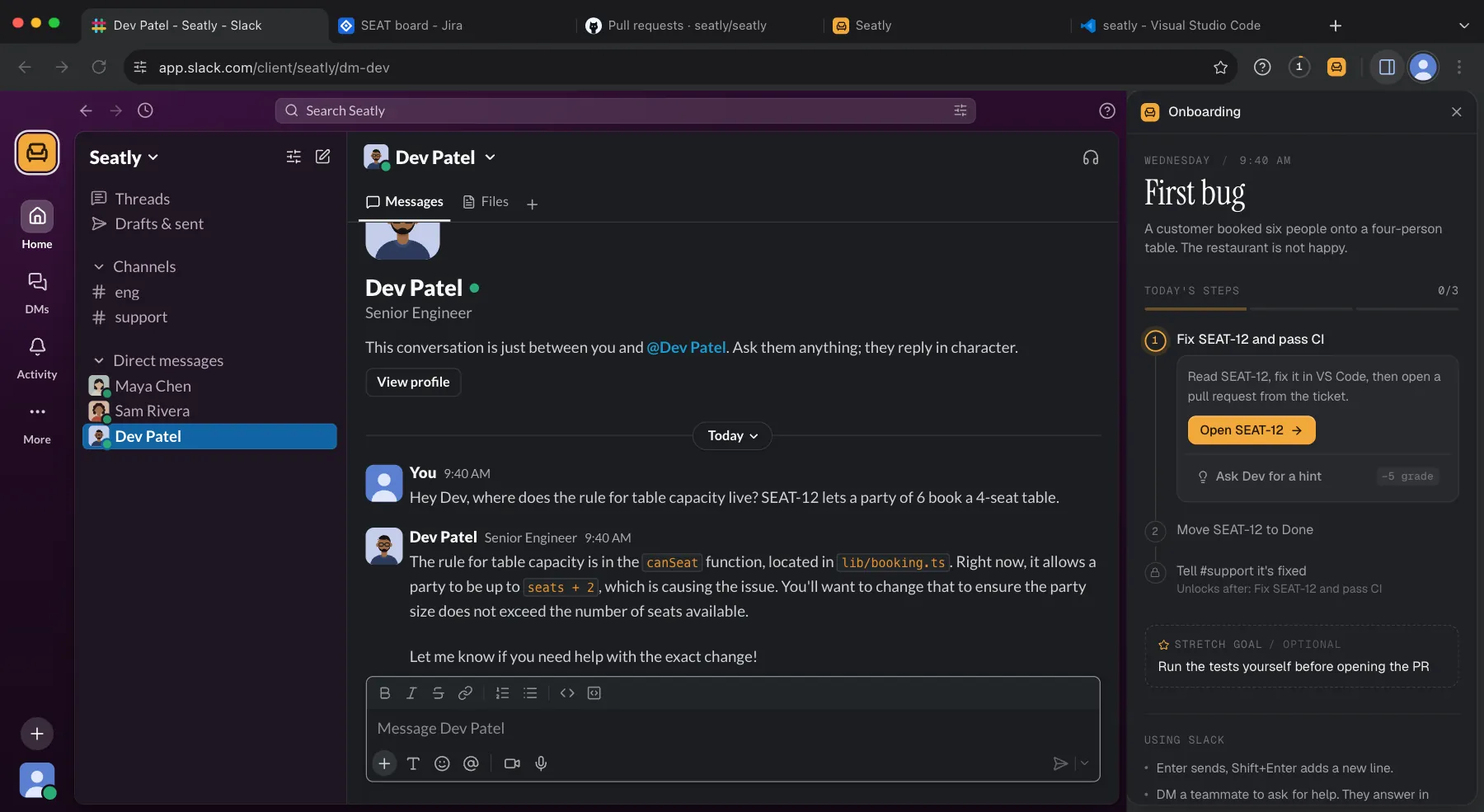
Slack: teammates who answer
Maya (your manager), Sam (support) and Dev (senior engineer) message you through the day. DM them anything. They reply in character and can point you to the right file.
Jira: tickets with acceptance criteria
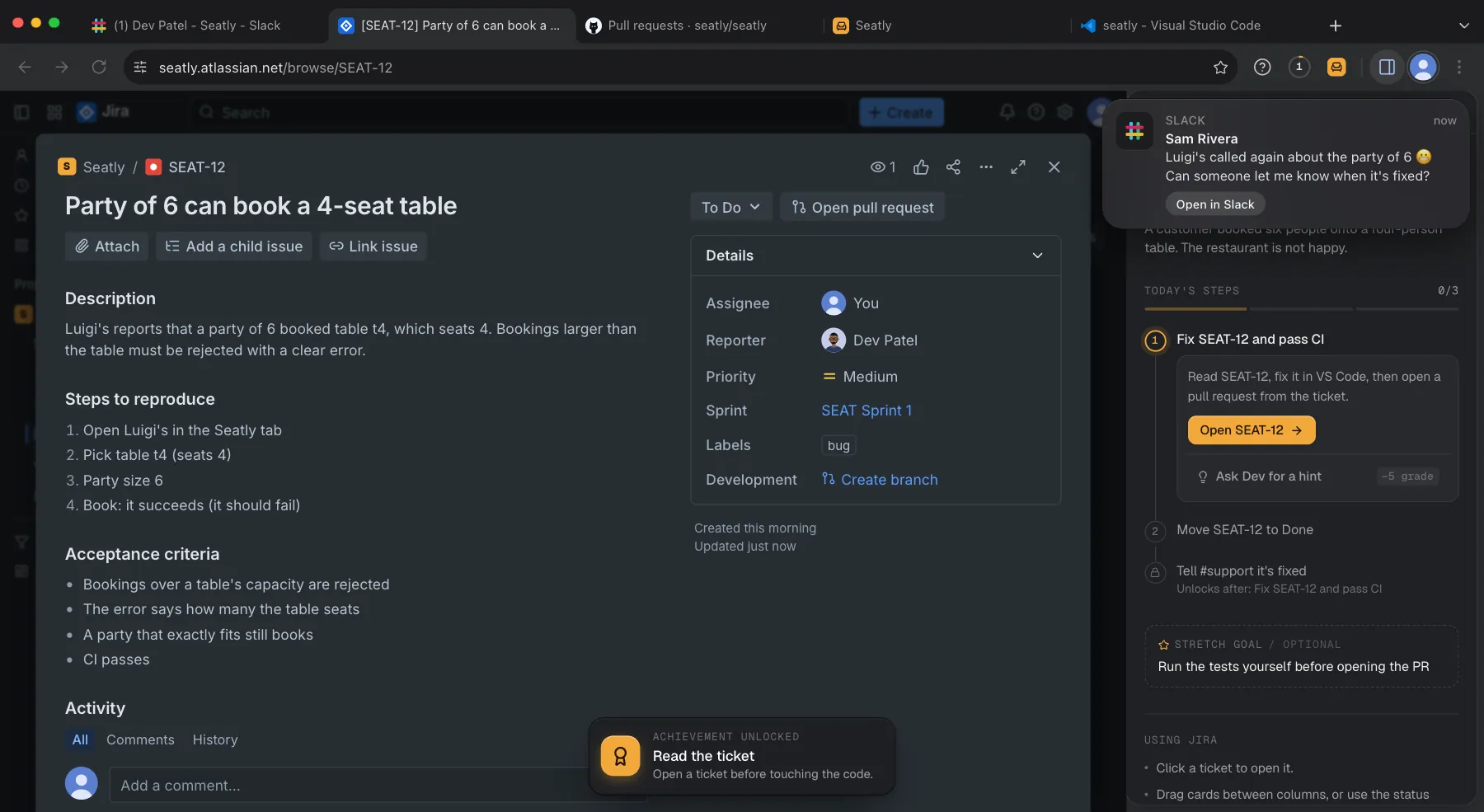
Every task starts as a ticket with steps to reproduce and what done means. Move it across the board as you work.
VS Code: a codebase you didn't write
An editor, a file tree and a terminal that really runs Node. npm test, the dev server and the Seatly source, all in the browser.
GitHub: checks and code review
Open a pull request from the ticket. Hidden tests run as CI, Dev reviews the diff once they pass, and merging closes the ticket.
Seatly: the app you're changing
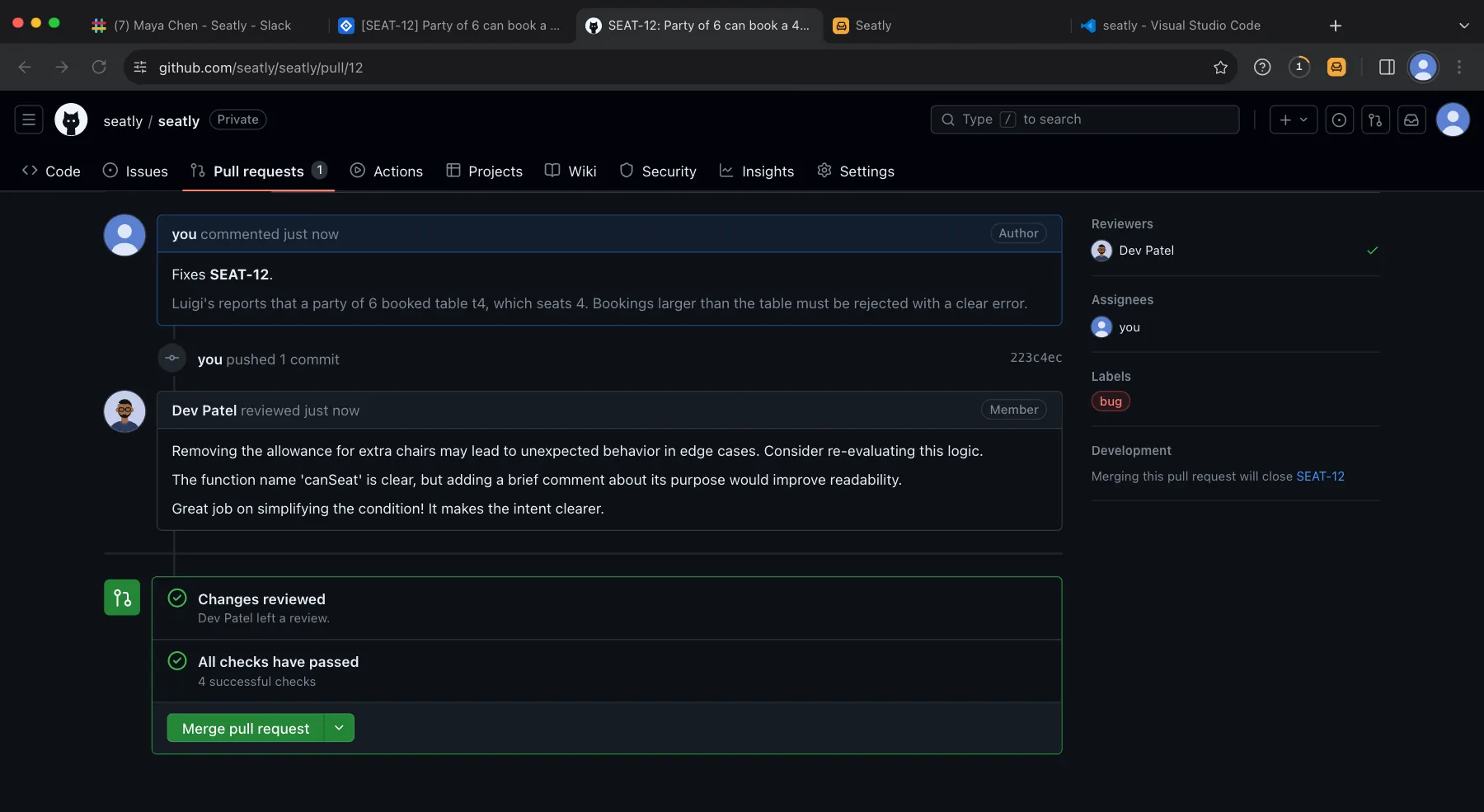
Your local copy at localhost:3000. Reproduce the bug like a customer would, then check your fix.
Push To CI.
Five Days. Five Tickets. One Sprint.
Each day is a level with a new kind of task. Jira unlocks on Tuesday and GitHub on Wednesday, and no day needs a tool before it unlocks.
Check the app runs, make a test booking, reply to Maya.
getting set upThe footer shows the wrong support email. Ask Dev, find where it lives, fix it.
finding your way aroundA party of 6 can book a 4-seat table. Fix the rule, get CI green, tell support.
debugging and CIEvening bookings show up on the next day. Reproduce it, fix it, explain the cause.
time zone bugsCustomers want to add a special-requests note. Build it and explain the change in #eng.
shipping a featureWhat Wednesday Actually Looks Like.
Every screen below is from one real playthrough of SEAT-12, a customer bug. Scroll sideways through the whole loop: ask, read, find, push, fail, fix, get reviewed, merge.
- 1Slack
Ask before you dig
You DM Dev, the senior engineer. He points you at canSeat() in lib/booking.ts. His reply is written live, in character.
- 2Jira
Read the ticket
Steps to reproduce and acceptance criteria. While you read, Sam from support pings: the restaurant called again.
- 3VS Code
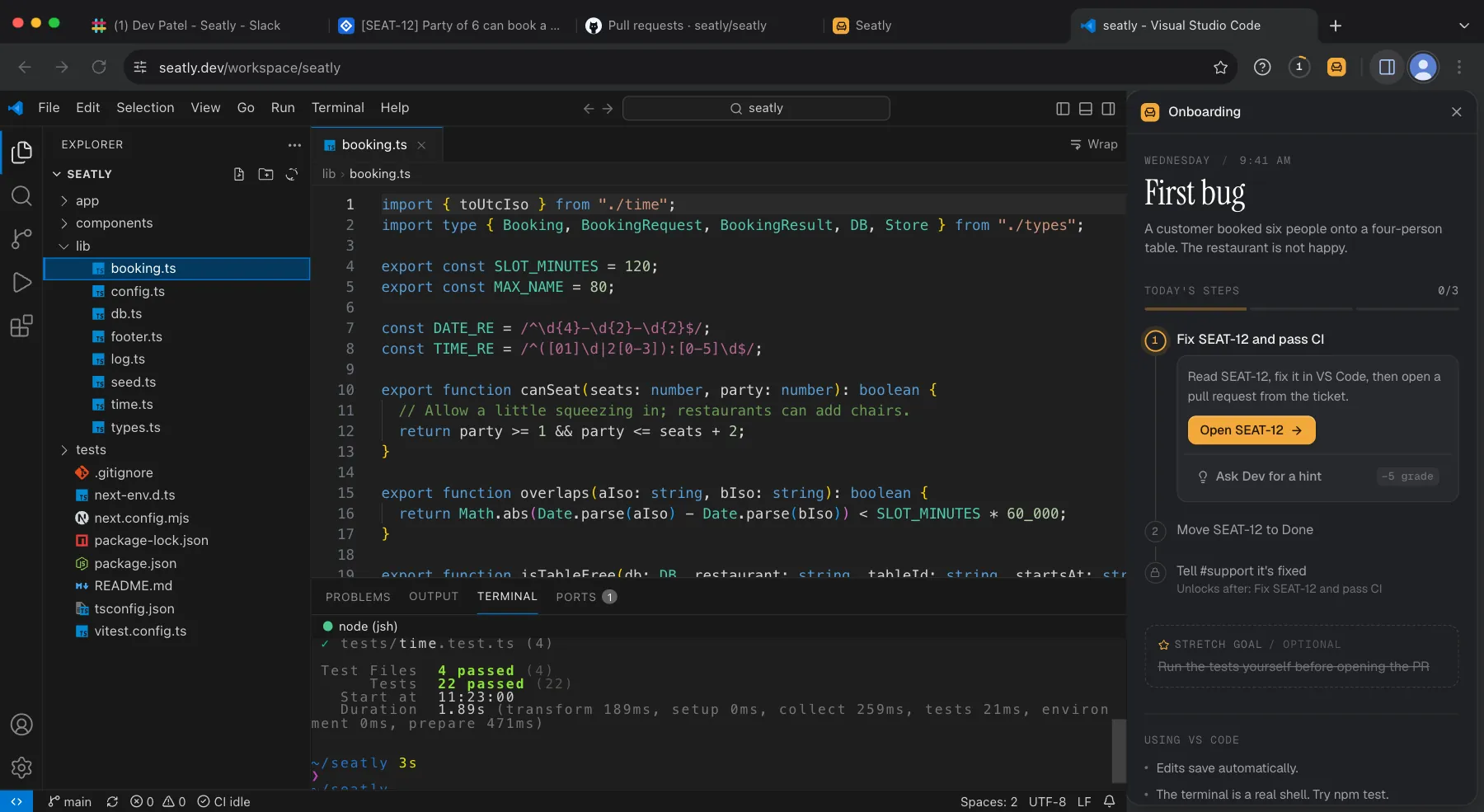
Find the rule, run the tests
party <= seats + 2, because "restaurants can add chairs." npm test passes, 22 of 22. None of them test this.
- 4GitHub
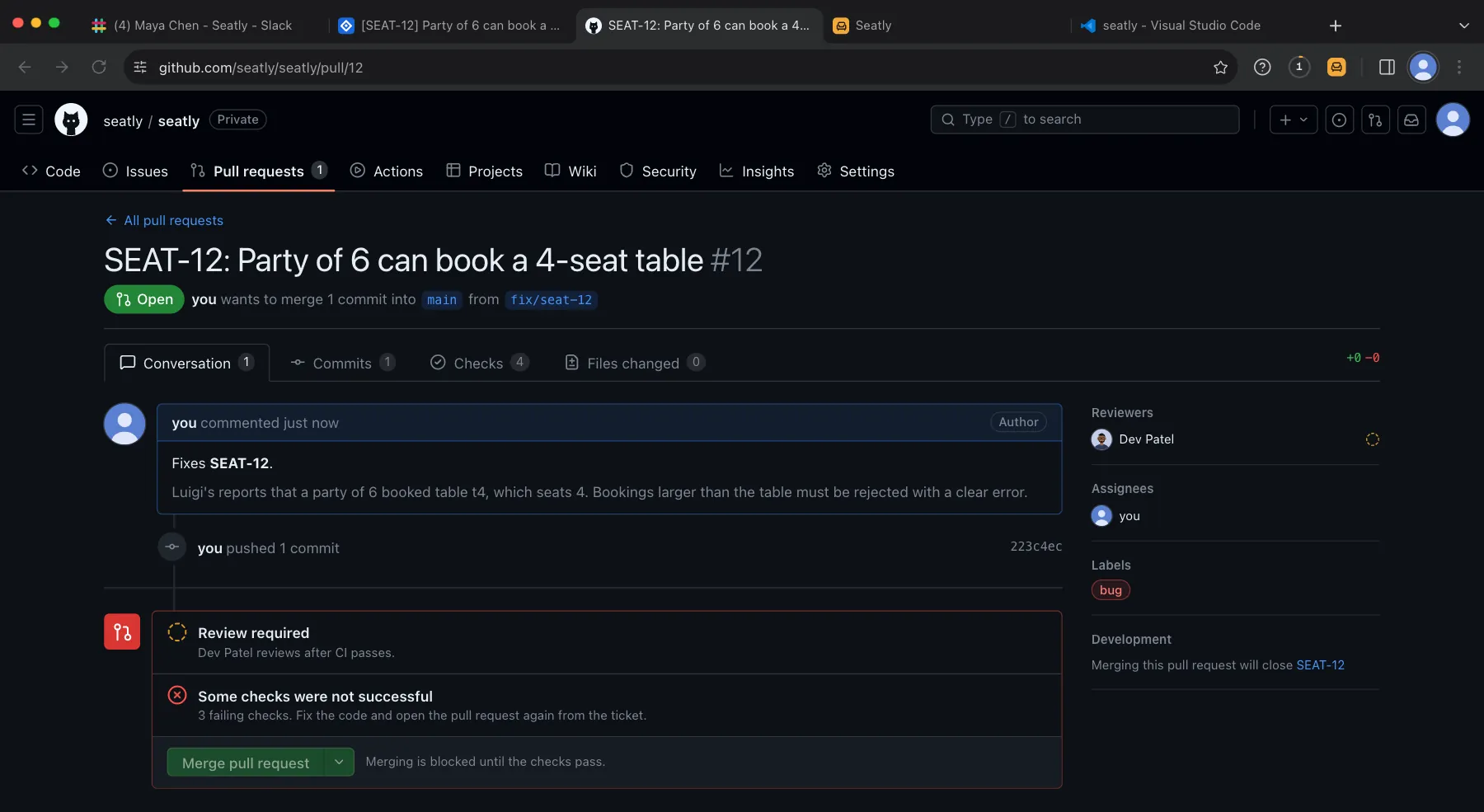
Open the PR. CI is red.
Hidden tests run as CI. Three fail, so merging is blocked until the checks pass.
- 5GitHub
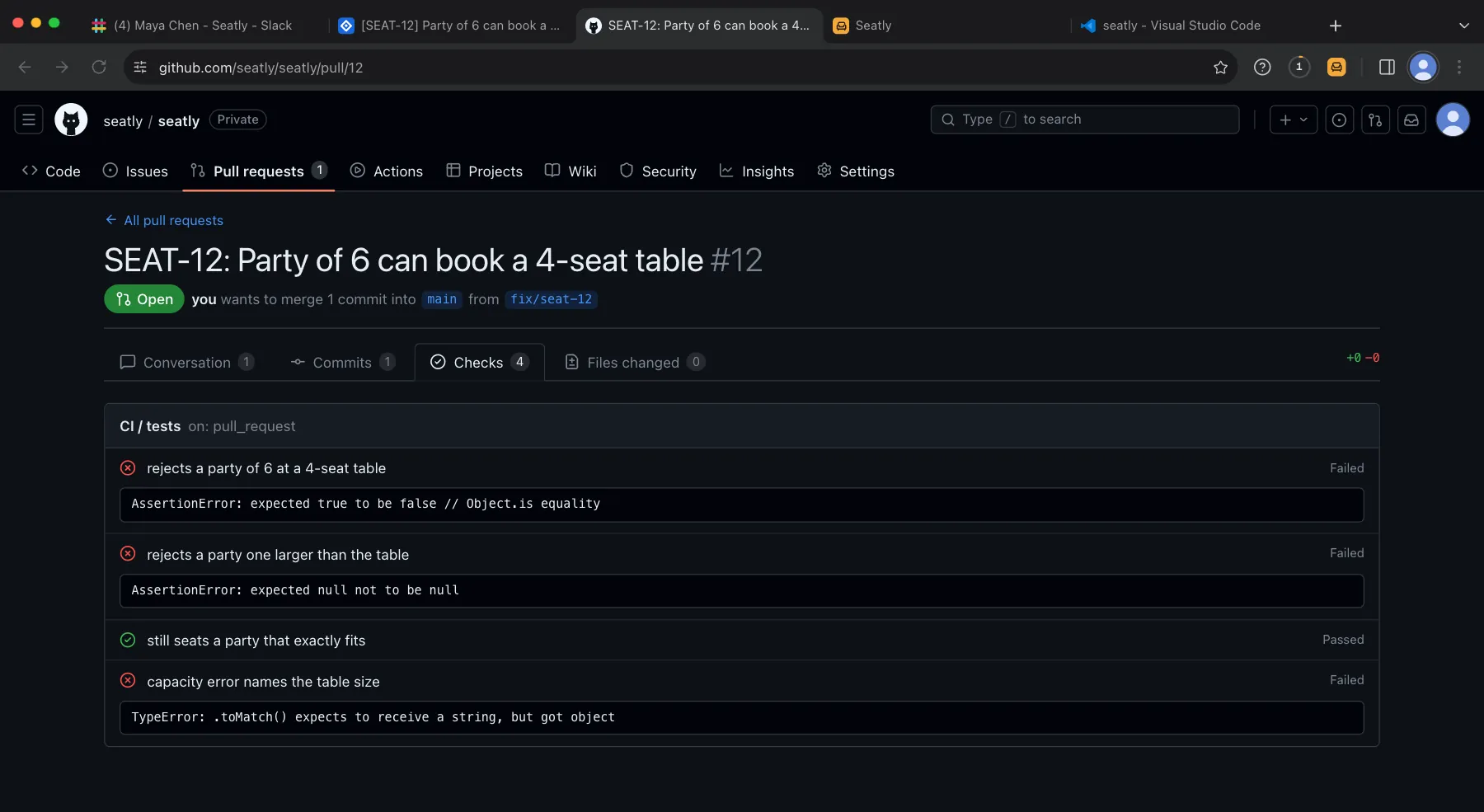
Read the failing checks
"rejects a party of 6 at a 4-seat table": expected true to be false. The check names tell you what is still wrong.
- 6GitHub
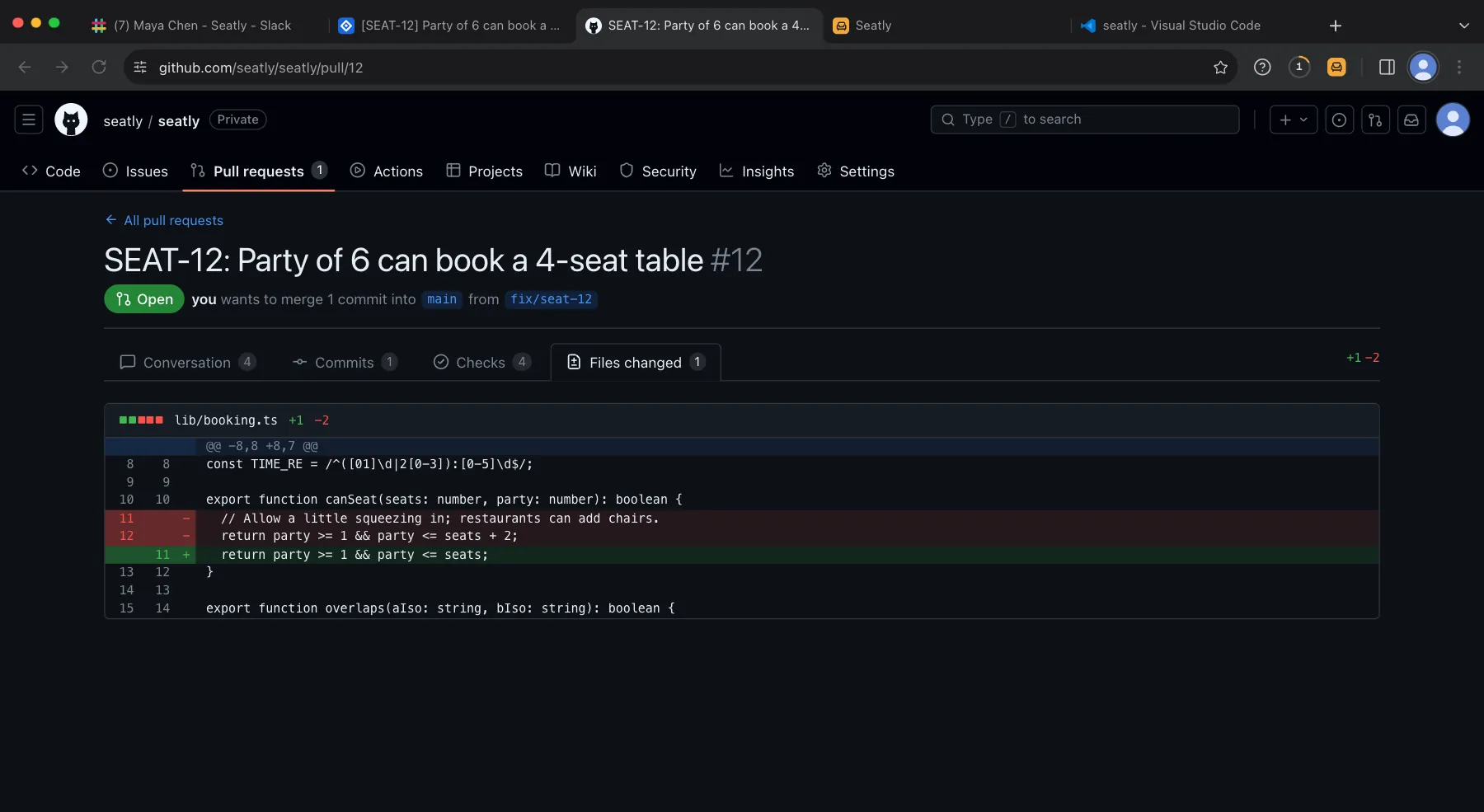
Fix it in one line
Drop the + 2 and the comment that justified it. Open the pull request again.
- 7GitHub
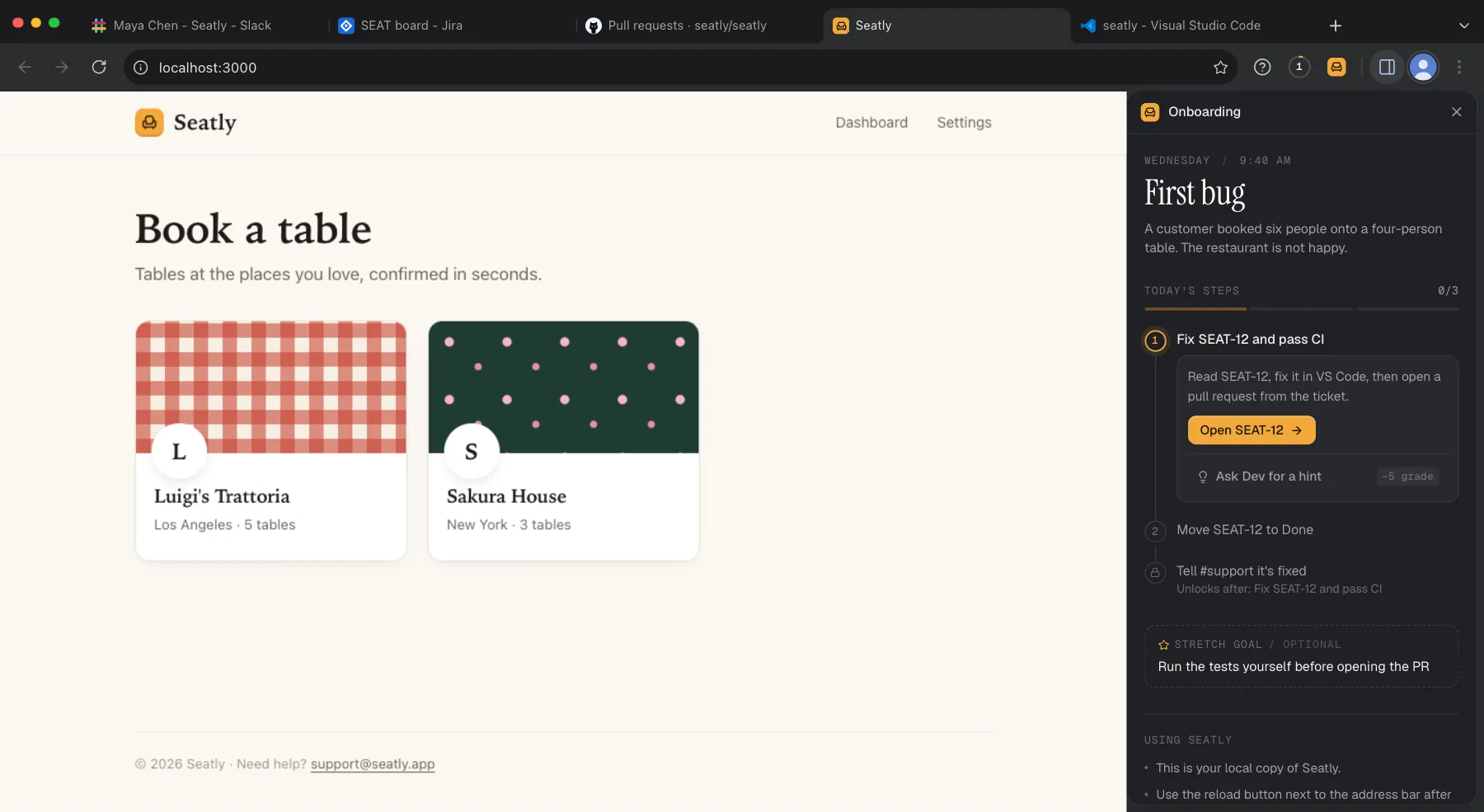
Green, then review
All four checks pass. Dev reviews the diff and leaves comments. Then you merge, and the ticket moves to Done.
- 8Report
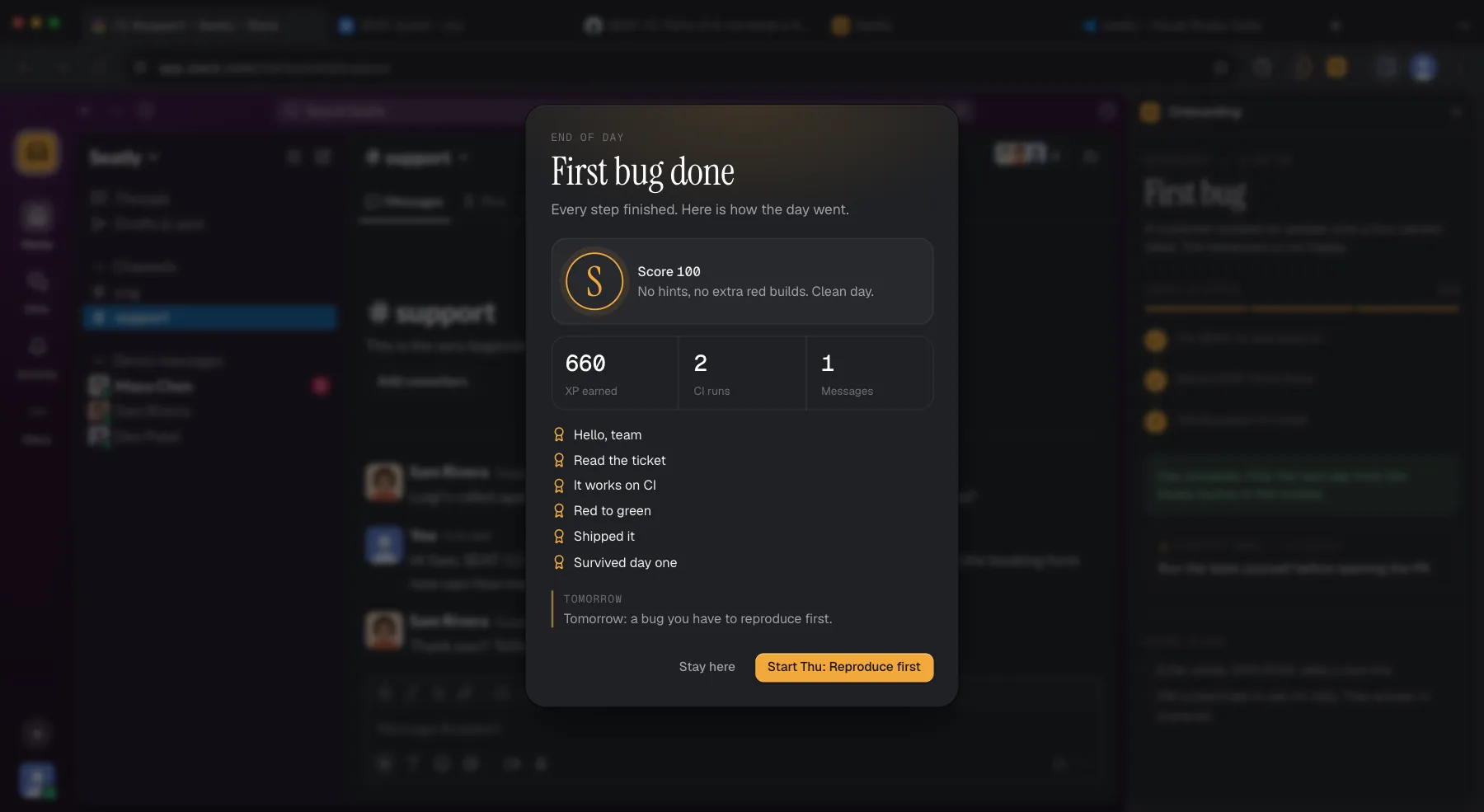
End of day
Score 100, grade S: no hints and no extra red builds. 660 XP and the achievements you earned.
Unedited captures of the Sim in Chrome, 1 October 2026. Teammate replies and code review are written by AI each time, so yours will read differently.
Your Teammates React To You.
Each day is scripted around your actions. Open the ticket and support pings you. Book the bad table and Maya notices. Go quiet for six minutes and she checks in. Push a red build and she tells you where to look.
Scripted lines are fixed for every player. Replies to your own messages are written by AI in character, so they change each time.
- Maya ChenDM · day starts
Morning! Grab SEAT-12 when you're settled. It's a real customer bug.
- Sam Rivera#support · you open SEAT-12
Luigi's called again about the party of 6 😬 Can someone let me know when it's fixed?
- YouDM to Dev · you ask
Hey Dev, where does the rule for table capacity live?
- Dev PatelDM · a few seconds later
The rule for table capacity is in the canSeat function, located in lib/booking.ts.
- CI#eng · you open the PR
✕ 3 failing · rejects a party of 6 at a 4-seat table
- Maya ChenDM · after the red build
CI is red, which is normal on a first try. Open #eng and read the name of the failing check: it says what the code still gets wrong.
- CIPR #12 · you push the fix
✓ All checks have passed · 4 successful checks
- Sam Rivera#support · after you post in #support
Thank you!! Telling Luigi's now 🙏
Every Day Gets A Grade, S To C.
The end-of-day report shows your score, XP, CI runs and achievements. Help is always one click away, and using it has a price, the way a busy teammate's time does.
A clean day, or very close to one.
A few hints, or a couple of extra red builds.
You got there with real help.
Finished, with a lot of help.
Every day starts at 100.
| Your first red build of the day | free |
|---|---|
| Each red build after that | −5, up to −20 |
| Ask a teammate for a hint (Guided / Standard / Expert) | −5 / −10 / −15 |
| Pair with a teammate on the fix | −15 / −25 / −35 |
| A written answer sent back for another try | −5, up to −10 |
Three modes.
- Guided
- Step-by-step tours walk you through Monday to Wednesday, and hints are cheapest. After that, two clean days without hints fade it to Standard.
- Standard
- Less hand-holding, and hints cost more.
- Expert
- The highest hint costs. Switch to it any time in the Career menu.
XP moves your career from Intern up to Staff Engineer. A clean first week reaches Engineer I.
Not Another Coding Tutorial.
| Feature | Engineer Sim | Coding tutorials | Practice problems | Side projects |
|---|---|---|---|---|
| A codebase you didn't write | - | - | - | |
| Tickets with acceptance criteria | - | - | - | |
| CI with tests you can't see | - | - | ||
| Code review on your diff | - | - | - | |
| Teammates to ask | - | - | - | |
| Nothing to install | sometimes | - | ||
| Free | sometimes | sometimes |
Practice problems are good for algorithms. The Sim is for the rest of the job.
What You Practice
Reading a new codebase
Find where a rule lives in a Next.js app you didn't write.
Debugging
Reproduce first, then isolate, fix and prove it with tests.
Reading red CI
Turn a failing check name into the next change.
Code review
Take comments on your diff and keep the PR moving.
Asking for help
Ask good questions in Slack, and know when a hint is worth the points.
Explaining your work
Tell support what changed, in words a non-engineer understands.
Questions.
What is a software engineer simulator?
A browser game that recreates a developer's working week: a real codebase, tickets, CI, code review and teammates, so you can practice the job before you have one.
Is it free?
Yes. The first week is free to play in your browser, with no account. Your progress saves in your browser.
Is the code real?
Yes. Seatly is a real Next.js and TypeScript app running in your browser, with real tests. CI runs hidden tests your fix has to pass.
What do I need to know first?
Basic JavaScript or TypeScript. Finished the Next.js track in Foundations? You're ready.
Will the teammates just give me the answer?
They nudge first, like a real teammate: where to look, what the customer saw. If you're really stuck they'll walk you to the fix. Hints cost a little of your grade.
How is each day graded?
Every day starts at 100. Hints, pairing, extra red builds and written answers sent back cost points. 95 and up is an S, 85 an A, 70 a B, and below that a C.
Can it help me prepare for a job or an interview?
It's practice for the work itself: reading code you didn't write, debugging, CI, review and explaining a change. Some teams use it as a work-sample interview.
Which browsers work?
Chrome or Edge on a laptop or desktop. The Sim runs a real Node.js environment in your browser, which needs them.
How long is it?
Five in-game days, Monday to Friday, each a short session. Stop and resume any time. Week one is what's built today.